
Secrets of Effective Backup: Focus on the Data Recovery Process
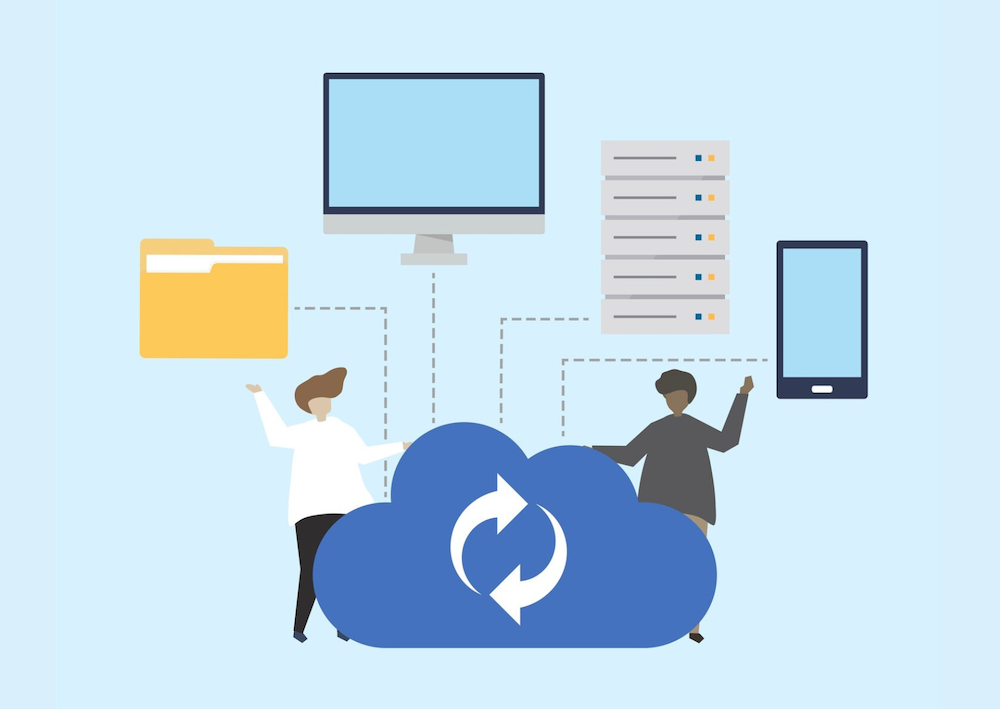
Unlike traditional backup methods that run periodically, continuous data protection works in real time by recording every change in data. This means that organizations can recover data up to a certain point in time before an incident occurs, thereby minimizing the risk of losing important information.
Read also: Cybercrime Cases in Indonesia: Challenges, Data Leaks, and Digital Protection Efforts
What is Continuous Data Protection and Why is it Important for Businesses?
Continuous data protection is a data protection approach that continuously records system changes. This technology enables quick recovery without having to wait for the next backup schedule.
Here are some reasons why this solution is increasingly needed:
- Reduces the risk of data loss due to malware attacks or system failures.
- so that business operations are not interrupted for long.
- Provides real-time visibility of data changes in the IT environment.
- Supports security compliance through consistent activity logging.
In practice, continuous data protection does not stand alone. It is part of a cyber protection approach that combines security, monitoring, and recovery in a single ecosystem.
Modern Digital Threats Make Traditional Backups No Longer Sufficient
Many organizations still rely on daily or weekly backups. However, today’s attack patterns are evolving faster.
As a preventive measure, companies need to strengthen endpoint security and implement a more integrated cyber protection approach. Monitoring suspicious activity on devices and servers is key to detecting threats early before they spread.
This approach is in line with the concept of modern cyber protection, which focuses not only on data recovery but also on preventing attacks from the outset.
How does Cyber Protection support Continuous Data Protection?
Modern cybersecurity solutions no longer separate backup, threat detection, and system monitoring. Platforms such as Cloudmatika offer an integrated approach that combines multiple layers of protection.
Cloudmatika Cyber Protection is designed as an integrated cybersecurity platform that is capable of:
- Proactively monitoring system activity through a centralized dashboard.
- Detect and block malware and ransomware activity before it spreads.
- Support continuous data protection to maintain data integrity in real-time.
- Provide comprehensive visibility into IT system health.
This technology strengthens the security foundation through the implementation of endpoint protection, the latest generation of firewalls, and advanced behavior-based threat detection.
Enhance Data Protection with Cloudmatika Cyber Protection
As organizations begin to adopt continuous data protection, it is important to choose a solution that focuses not only on backup but also on comprehensive security.
Cloudmatika Cyber Protection offers a range of outstanding features:
1. Integrated Endpoint Protection
Work devices are the main entry point for digital threats. With endpoint protection, suspicious activity can be monitored in real time to prevent the spread of attacks.
2. EDR and XDR Technology
Endpoint Detection and Response (EDR) and Extended Detection and Response (XDR) capabilities enable deeper threat analysis. The system can quickly identify attack patterns and provide an automated response before widespread impact.
3. Anti-Malware and Anti-Ransomware Protection
Security features include anti-malware, anti-ransomware, URL filtering, and patch management to help close security gaps early on.
4. Continuous Data Protection and Rapid Recovery
Every data change is continuously recorded through a continuous data protection mechanism, allowing organizations to restore systems to a specific point in time with greater precision. However, rapid recovery does not depend solely on the backup process. For the recovery process to be truly effective in the event of a disruption, it is necessary to implement disaster recovery integrated into the cyber protection strategy.
With this integration, the recovery process not only restores files, but also ensures that systems, applications, and infrastructure can resume operation with minimal downtime and lower risk of data loss.
5. Centralized Monitoring for Servers, Cloud, and Endpoints
Support for various IT environments allows companies to manage security from a single integrated platform.
Combining continuous data protection with cyber protection provides strategic benefits for companies:
- Minimal downtime due to faster data recovery.
- IT operational efficiency through centralized security management.
- Early threat detection thanks to EDR and XDR integration.
- High scalability for cloud, server, and endpoint environments.
For organizations looking to improve their digital resilience, integrated solutions such as those offered by Cloudmatika help create adaptive and sustainable security systems.
Read also: Corporate Data Leaks: A Real Threat to Businesses and How to Prevent Them
It’s Time to Switch to More Proactive Data Protection
Relying on traditional backup methods alone is no longer enough to deal with modern cyber threats. Implementing continuous data protection supported by an integrated cyber protection platform can be a strategic step to maintain data security while ensuring business continuity.
With Cloudmatika, companies can monitor, detect, and recover data faster in one integrated solution. This approach helps organizations build security systems that are not only reactive but also preventive, minimizing the risk of business disruption from the outset.
Secrets of Effective Backup: Focus on the Data Recovery Process
Along with the increasing threat of cyberattacks, backing up data is also increasingly crucial. For example, the website “Cyber Security for Society” explains that backup management is highly emphasized as a step to minimize the impact of security incidents.
Backups are indeed essential. However, one more thing should not be forgotten, which is the process of data recovery or restoring to its original state. Even if a backup has been done with great care, if the data cannot be recovered when needed, then the backup cannot be considered a fully effective security measure.
In this installment, we will discuss taking a “good backup” by emphasizing the importance of the restore process. In addition, we will explain why cloud backup can be a very effective tool for this purpose and provide some recommendations for cloud backup services worth considering.

Restore and Types of Backups to Understand
Restore is the process of returning data or systems to their original state. In the backup context, restore refers to returning a computer or server to its previous state based on the backup data created.
The restore process can take different amounts of time and effort depending on the type of backup used. Therefore, knowing the various types of backups is essential to understand the restore process truly.
There are three main types of backup
Full backup is the process of backing up all the data that is the target of the backup. Since all the data is copied each time, this process is time-consuming and requires much storage space. However, the advantage is that the restore process becomes faster and easier because all data is already available in one set.
Differential backup is a data backup that only includes changes or additions since the last full backup. The backup time is shorter than a full backup, and only the data from the first full backup and the last differential backup are required for the restore process.
Incremental backup is a data backup that only includes changes since the last backup, whether it was full or incremental before. This method is very efficient in terms of time and storage space. However, when performing a restore, the process becomes more complicated as it combines multiple data blocks from each backup stage.
In this discussion, we will focus on the importance of the restore process and share the secrets of creating good and effective backups. We will also explain why cloud backup is an effective solution and recommend the best cloud backup services to consider.
{{blogcard id=”289″}}
How to Recover Data from Backup
There are several ways to recover data from a backup. Performing regular backups and ensuring the recovery steps are well understood is essential to be ready when an emergency occurs.
The more straightforward the data recovery process from backup, the better. This is because, in an emergency, the ability to recover data quickly plays a vital role in maintaining business operations.
For example, the data recovery process is straightforward with our cloud backup service. Simply log in to the management screen via a PC and click the “Restore” button, and all previously backed-up data can be restored quickly and conveniently.

In addition, as will be explained further, the method used by a reliable cloud backup service is image backup, which backs up the entire system image in a single process. This method allows the recovery process to run quickly and efficiently.
Should you use cloud backup? Full Explanation and Features to Consider
In the past, a commonly used data backup method was a local backup, which stored backup data on other devices such as external hard disks or internal company servers. However, in recent years, more and more companies are turning to cloud backup due to its advantage in resilience against physical damage.
According to the Communications and Information White Paper (2023 edition) of the Japanese Ministry of Internal Affairs and Communications, by 2022, 72.2% of companies claim to be using cloud services at least partially. However, only 37.0% use these specifically for data backup. Compared to the 2021 figure of 34.6%, it can be seen that the use of cloud backup is slowly increasing.
In Indonesia, the adoption of cloud ology also continues to grow along with the increasing awareness of the importance of digital transformation. Many large and MSME companies are starting to utilize cloud services to support their operations and maintain data security. The government and private sector are also increasingly encouraging digitalization, including using cloud-based solutions to improve IT systems’ efficiency, scalability, and resilience.
If your company is considering cloud backup, it’s a good idea to understand its advantages and disadvantages to make the right decision.

Pros and Cons of Cloud Backup
Cloud backup has various advantages and disadvantages that need to be considered before implementation. The following is an explanation:
Advantage 1: Cost Savings
One of the main advantages of cloud backup is cost efficiency. Compared to local backups, cloud backups tend to be cheaper in terms of initial costs (installation costs) and operational costs.
For example, companies that choose local backups have to spend money to install and build servers in their offices. In contrast, with cloud backup, data is stored in the service provider’s data center, so companies only need to choose a service plan according to their data capacity needs. The installation process is also much more straightforward.
In addition, local backups usually require dedicated IT staff who are always available in the office, adding to human resource costs. Management and maintenance can be completely handed over to a professional service provider in a cloud backup system, making it more cost and labor-efficient.
Advantage 2: Protection against Ransomware Attacks
In June 2024, there was a large-scale cyberattack on the file servers of the Dwango company, which is part of the KADOKAWA group. As a result of the ransomware attack, KADOKAWA announced on July 3 that there was a high probability of personal information leakage from Kadokawa Dwango Gakuen school.
This incident shows that large companies like KADOKAWA are being targeted, and small and medium-sized companies could potentially experience similar attacks. Ransomware can spread across devices within the same network or physically connected, so even local backups can become infected.
However, cloud backups store data in a location separate from the company’s internal network, so the risk is much smaller. Cloud service providers are also usually cybersecurity experts, so data protection is more guaranteed in case something goes wrong.
Exhibit 3: Business Continuity Plan (BCP) Support
BCP (Business Continuity Plan) is a developed plan that allows the company to continue operating despite a disaster or other significant disruption.
In a local backup system, the risk of data loss is relatively high in the event of physical damage to the server. However, with cloud backup, data is stored in a location far from the headquarters, so the impact of a disaster can be minimized.
In addition, since cloud data can be accessed via the Internet, companies can still access and recover data from remote work environments. Thus, even if the office is damaged, business operations can continue.
{{blogcard id=”274″}}
Then, what are the disadvantages of Cloud Backup,
Drawback 1: Internet Connection Required
One of the drawbacks of cloud backup is its dependence on an internet connection. The data backup process cannot be done if you are not connected to the internet.
Even if an internet connection is available, remember that backup performance depends on network speed. For example, when backing up large amounts of data, the process can take a long time. Similarly, the time taken can be pretty significant during the data recovery process.
Drawback 2: Unable to Build a Company-Specific Security System
Another drawback of cloud backup is that it is limited in meeting the company’s specific security needs. In a cloud backup system, the service provider fully manages the security aspect. Therefore, for companies with particular internal security requirements, combining cloud backup and on-premise systems may be a more suitable solution.
More than Just Storage: Security to Patch Management in One
The advantage of cloud backup lies in its ability to store data and in how that data is protected. In emergencies such as cyberattacks or natural disasters, restoring backup data is essential to keep the business running.
For example, our cloud backup service, Cyber Protection, is equipped with Active Protection. This feature uses artificial intelligence (AI)-based technology to protect data from ransomware attacks. If suspicious changes are detected in stored files, backup data, or backup software, the system will automatically detect and stop the threat and restore the affected data.
When choosing a cloud backup service, selecting one with patch management features is highly recommended.
A patch is a repair file provided when a bug or security hole is found on a network or software. Patch management monitors patch deployment status across the network and periodically provides the necessary patches to maintain system security.
If patches are not applied immediately, this can become a security hole that can potentially be utilized by irresponsible parties to carry out attacks. Therefore, performing regular patch management is essential for maintaining network security.

Difference between Restore and Recovery
Here we will explain the term “recovery” often confused and equated with “restore”. Recovery is the process of returning the system as a whole to its normal state by performing several actions on the data that has been restored.
To understand the difference between restore and recovery, let’s imagine a scenario where an individual user tries to recover an Excel file on his computer. The restore process means returning the Excel file to the computer. However, simply restoring the file does not necessarily make it immediately usable. A Microsoft Office application must be installed on the computer for the file to be opened. The process of installing these applications is part of recovery. So, the system is said to have recovered after all the supporting components are available and can function correctly.
As explained above, in the backup process, the important thing is to save the data and how quickly the system can be restored when a problem occurs. In this case, there is an excellent recovery method called instant recovery. With this method, virtual machine files can be read directly from the backup area without going through the usual recovery process so that the recovery time can be much faster. Because of this speed, instant recovery is an efficient solution as part of a Business Continuity Plan (BCP) strategy.

Difference between Restore and Recovery
Backup has become very important because the value of information assets owned by companies is increasing, while the threat of cyber-attacks has also increased significantly.
According to the National Cyber and Crypto Agency (BSSN) annual report, cyberattacks in Indonesia continue to increase from year to year. One of the most prominent types of attacks is ransomware, where the perpetrator encrypts essential data belonging to the victim and demands a ransom to recover it. In addition, attacks that exploit weaknesses in the supply chain are also a serious concern, especially for companies that rely on third-party systems in their operations.
A clear example occurred in 2022 when Bank Syariah Indonesia (BSI) experienced widespread service disruptions. While not officially confirmed as a ransomware attack, many suspected the incident involved an internal system compromise that impacted customer access and digital service continuity. Attacks like this show how important it is that backup systems are in place and secure from attacker access.
An Indonesian Cyber Security Research Institute survey and investigation found that although most companies claim a backup system, only a tiny percentage can recover data effectively during an attack. This shows that backups alone are insufficient if they are not supported by mature and tested restore systems and procedures.
If we just back up and feel satisfied, it’s like buying emergency food for a disaster but never checking the expiration date. When disaster strikes, the food is no longer fit for consumption and cannot be used. The same applies to backup data-if it cannot be used during the recovery process, then its existence is useless.
With this in mind, when choosing a cloud-based backup service, it is essential to pay attention not only to the backup features but also how other features support the success of the recovery process. The key to a good backup is its ability to be used when needed.
Why is Cloudmatika Cloud Backup the Right Choice?
If your goal is to restore your data correctly, the recommended choice is Cloud Backup from Cloudmatika.
A key feature of Cloudmatika’s Cloud Backup is Active Protection, which protects your essential data from threats such as ransomware. This feature uses Cyber Protect from Acronis, the world’s number one cyber protection company.
Acronis successfully detected 100% of malware in the VB100 certification test, with no false positives, and received “very fast” or “fast” performance ratings in all eight antivirus testing categories. Acronis is genuinely a strong protector of corporate information assets from cyber-attacks.
In addition, before the files are uploaded, the US military also uses a high level of encryption. All file transfers are also protected with the AES-256 security standard, both during transmission and when stored on the server.
It is also worth noting that this service uses image backup so that operations can return to normal in the event of data loss. All applications, files, user accounts, settings, and the entire system are thoroughly backed up, allowing a quick recovery process.

Disaster Ready with Disaster Recovery Features
Cloud Backup from Cloudmatika provides additional options such as BCP (Business Continuity Planning) and Disaster Recovery. This feature lets you keep your system running normally, even during a disaster or significant disruption. You can immediately switch the system to a virtual machine in the cloud using a previously saved backup image with just one click. This process is fast and efficient, so business continues without interruption. This is the ideal solution to maintain the continuity of company operations at critical times.
No Start-up Cost, Easy and Affordable Start
Cloud Backup from Cloudmatika is designed to provide convenience, flexibility, and cost. The service can be used immediately with no upfront costs-you only need to pay an affordable monthly subscription fee because you can choose a package that suits your business needs.
To provide the best experience before subscribing, Cloudmatika also provides a
. This is an ideal opportunity to experience the benefits and convenience of Cloud Backup before making a long-term decision.
Recent Articles
-
 admin / March 27, 2026
Memahami Apa Itu Virus Komputer, Jenis, serta Pencegahannya
-
admin / March 27, 2026
Memahami Apa Itu Virus Komputer, Jenis, serta Pencegahannya
-
 admin / March 26, 2026
Hemat Uang Anda Dengan Menggunakan Container di Virtual Data Center
-
 admin / March 26, 2026
Hemat Biaya Mail Server Anda Dengan Zimbra Email & Collaboration
-
 admin / March 26, 2026
5 Perbedaan Hosting dan Domain Yang Harus Anda Pahami

